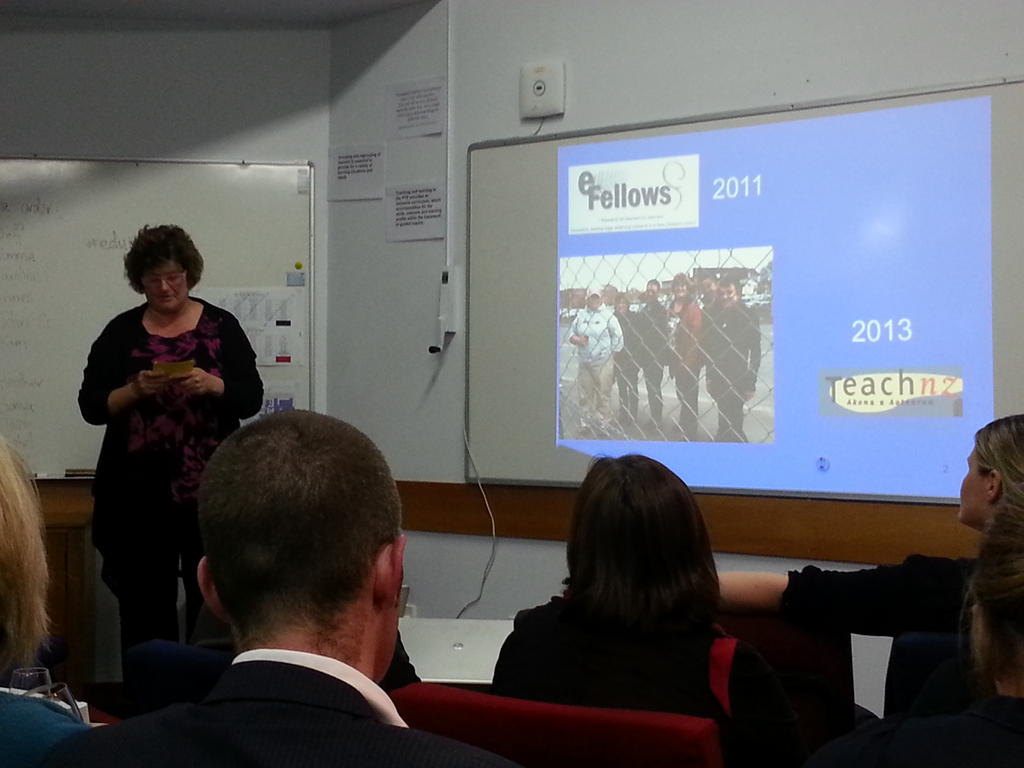
Presenting TeachMeetNZ at Eduignite

TeachMeetNZ from Ulimasao Van Schaijik

Kia Ora, Talofa and greetings everyone.
My name is Sonya Van Schaijik
I am a teacher at Newmarket School in Auckland New Zealand.
My topic tonight is the Joys of Google Hangout.
However it is more about sharing the story around setting up TeachMeetNZ and the people involved.
“TeachMeet was never about technology 100%, it was about the Teach first of all, and the tech was instrumental to achieving what we wanted to achieve pedagogically and never the other way around.” Ewan Macintosh
NZ is aiming for New Zealand Educators to share and the virtual is the online part.
The journey is two years old and began with the Reform Symposium when there was a call for moderators for the unconference.
I agreed to be a moderator and Kimberley Rivett was a presenter.
We used elluminate to present with.
Then in 2012, a call for virtual presenters came via Arjana of TeachMeetInt.
It was a 3.00am session on September 29. The session featured speakers from 16 countries sharing their passion.
After that we had the Google summit at Albany College and I heard Tony Richards speak on Google Hangouts. We were able to see a live hangout in session. I was inspired and the seed started growing.
Next in March of this year, Steve put a call out for moderators for the School Leadership Summit using Blackboard. I offered to be a moderator and looked after three online presentations.
During the second TeachMeet Int, there was a system crash. It was 4.00am. I was 6thin line to present and there had been problems. So I flicked over to slideshare and presented using the audio on Elluminate. The idea was taking shape.
Two weeks later at Ignition in May coordinated by Mark Osborne , I placed a notice up if anyone wanted to trial google hangout and to present a nano presentation. There were 6 people who joined the discussion and I shoulder tapped others.
I spoke with Arjana about using the TeachMeet format and she put me in contact with Ewan McIntosh. He was supportive and directed me to the TeachMeet Wiki and said, help yourself.
We agreed on a date and my team of helpers supported me in ironing  out all the glitches. I am grateful for their help. We live streamed all the training and mistakes. So that they could be rewound and learnt from.
We used twitter to communicate, slideshare and google presentations to share the work, Google Hangout to come together and sort any challenges and wikispace to aggregate and live stream our work.
Any challenges with the tools, we faced together and sorted out together.
The week before the first session, I lost a presenter and the day before I lost another. Both cancellations were for valid reasons.
Ah Huh moments happened. I quickly saw the potential of the tool for learning. I can see the principal recording a message for our parents. I can see school events being live streamed. I can see teachers giving live messages to parents.
The TeachMeetNZ project is the final part of my efellow learning about hyperconnectivity It has allowed me to rethink the ways that teachers can share learning. The project has also allowed me to focus on my own learning and hyperconnecting and developing the face to face connections as is stressed by Mark Pesce.
The format of the sessions involves each presenter with a 3 minute slot. The rest of the participants turn off video and mic to conserve bandwidth.
Questions and comments take place on twitter.
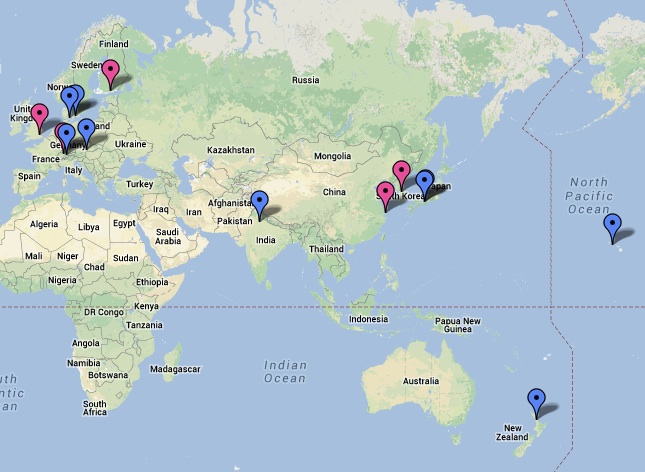
Our second TeachMeet was a lot easier because I knew the tools so much better and the training sessions were focused.  Again I shoulder tapped a few teachers and this time we had observers from Korea and Saudi Arabia.
A good idea is to include the audience almost by acting out a part. For our second session we had a an audience viewing of 89 with some from Brazil and India. This video has already passed 100.
Each participant introduces themselves and sets up and flicks on their presentation. Everyone is encouraged to say where you are from and even what the weather is like. Our second session had presenters fro  Christchurch and Nelson.
I challenge you to have a go.
You get to meet some amazing educators almost face to face.
You end up with a product for your portfolio including a TeachMeetNZ badge.
If you want to know more or would like to be part of the next TeachMeetNZ session using Google Hangouts and if you are not attending Ulearn, then please send me a tweet or an email.
Faafetai lava everyone .
Thanks for your time.
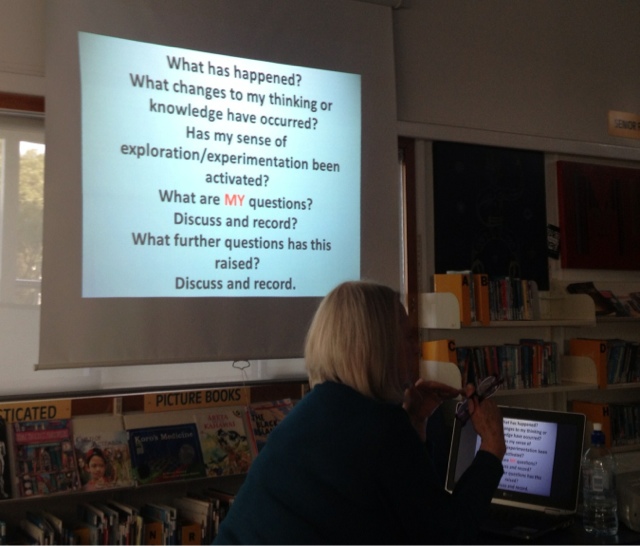
Nature of Science

Over the past year, Newmarket school have been learning the Nature of Science with Susan Heeps.

This has involved professional development with hands on activities, the opportunity to revisit the National Science curriculum and the chance to learn from each other. In addition we have been learning about the importance of children making real links with what is going on in their lives.

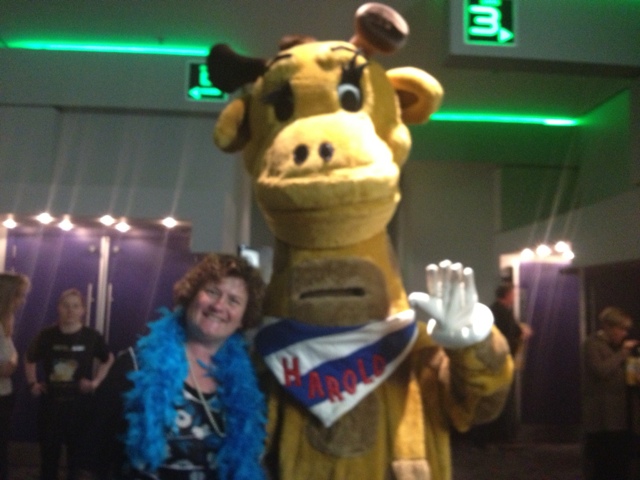
Harold

Over the years, Newmarket school have had the Life Education van visit our school. The children have loved working with Harold and learning all about respect of others and of self. So when the opportunity  came to be part of the celebrations and to see The great Gatsby, I answered yes to attending the event. What I took from the evening was how important it was that communities had ownership of the projects.

We were introduced to Caring and Co who were a group of high school students who won regional awards with their project to ensure that children would have the opportunity to attend Life Education sessions with Harold. 
I took with me our current Mandarin Language Assistant and her friend.
We had an enjoyable evening and like our children I was excited to meet Harold and get my photo taken with him.

TeachMeetNZ


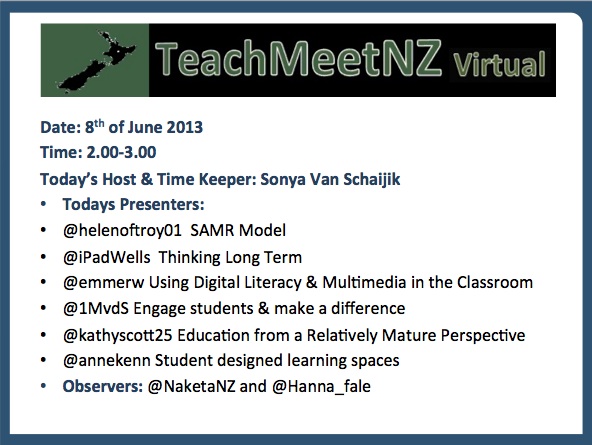
Today I hosted TeachMeetNZ virtual number two.
It has been a busy and productive day.
As I reflect on the process I can identify links that I have with each of the presenters.
I felt excited with the range of talented educators sharing today and they presented from as far south as Christchurch to as far north as Orewa.

Part of my sabbatical is about personal and professional development and about furthering my own understanding and learning with ICT using SOLO taxonomy. I am passionate about ownership of learning. In particular I am passionate about teacher’s learning. 

The TeachMeetNZ project developed through a variety of events. The first was presenting at TeachMeet International. Then attending a Google Community day and hearing about google hangouts. After that was attending another TeachMeet International and the equipment failing. I was interested in seeing how teachers worked together to problem solve. Finally having a team of teachers help me test and problem solve using google hangouts for presenting.

I identified a vehicle for teachers to share their own learning and to have the opportunity to rewind their learning. From the learning I undertook as an efellow in 2011 I identified that my understanding of hyperconnnectivity  at extended abstract would include developing a virtual sharing space where teachers could have face to face interaction and this would include using hashtags to pull discussion together, using a variety of literacies when publishing and about giving and receiving feedback.

I was better prepared for todays session and had researched some information about each of the presenters so that I could make personal; links with them. In addition, I had the opportunity to preview their presentations so that I could thank them and make a positive comment at the end of each nano presentation. When I rewind my feedback, I find that I could be saying more so will use this for next times learning.


So where to next, today confirmed that I am still focussed on the tool and that I must provide an opportunity for discussion between the presenters.


Travel Map

Today I began my 100 day Project. It is thanks to Justine Driver that I first learnt about the project. I am using this opportunity to write a little everyday. For me the real focus of my 100 day project is about making connections. Ideally it should be face to face connections. But it could also be digital connections in preparing for face to face connections. For example meeting Justine face to face after following her on twitter. 
The second part of my 100daysproject is to get into the habit of daily writing for when I take a TEACHNZ sabbatical. I will add one photo or a video clip and write about the event.
So my first entry and photo is about the places that I have booked to visit. My first face to face will be with Julie Lindsay from the Flat Classroom project. We will be meeting in Honolulu at the Flat Classroom conferenceand I am really excited to be meeting her. I have scheduled my travels to take in the conference so that I may meet global educators and leaders. 

Apple Configurator

Here I am again working with configurator. At this stage of my learning I think that I am at relational because I am starting to experiment with the settings.

There are three profile that can happen with configurator.
1) locked down for the children. Eg: you cannot get the photos off the iPad by USB to a computer.
– to get images off, either set up a student email and these can be emailed to the teacher in groups of 5, or use a class dropbox account and the iPads automatically sync to icloud.
When the apps and system requires updating then the iPads are synced to configurator. teachers cannot automatically do this task.
2) the VPP apps can be installed and the iPad not supervised. Therefore the teacher can add their own iTunes account over the top and the apps stay with the iPad. But this is not really a safe option for children’s use.
3) teachers are given VPP codes and these belong to the teachers iTunes account, so when the teachers leave the apps go with them. We could also use this system with our children. So families would buy a group of apps as part of stationary. 
So where to if we allowed BYO iPad.
I think that the easiest option is for the children to purchase the required apps. The parents set up the iTunes account therefore they manage updates etc.
We could configure with settings that did not allow FaceTime, messaging, YouTube. 
Kids blog would allow the children to share their learning yet would not require an email. We are always thinking about our learner’s well being.
My next steps is to set up accounts within accounts. In addition I am not quite confident to add the apps back to configurator but I am certainly more at ease with what I am doing. 

iPad

Our journey with iPads


2011, we allowed a small trial number of children to bring their mobile devices to school.Our prerequisite was that they must have their cybersafety badge on Superclubsplus and they must have earned their gold star for technical skills.We also had parental permission. We began with 3x children. One had an iPad, one had a laptop, one had a PSP console. I collected the ISP number from their devices. What we found out……The ipad user had a personal iTunes account set up by their parent, however our user was under 13 and stated in the terms of agreement with iTunes, this should not be allowed. In addition they had a personal email address that they used.Therefore they could download apps as they wanted them and did until we intervened.Because the iPad logged on easily to the network, the device was used during break times. They sometimes allowed their friends to use them. The skills developed for the Superclubsplus cybersafety certificate were not adhered to and the student was reminded about the implications of sharing a personal device. 

Lesson: Who has the right to put on a set of apps for an iPad? Is it ours or the parents? If children bring their own, do we demand that they have a school set of apps and not others? Do we have the right to ask this of a personal device? Who is using the device at home? What happens if a parent or older sibling uses the device and communicates to our children as the device owner? What happens if inappropriate apps are loaded onto the device? Should we have times on the wifi where children cannot have access? The laptop, was not as easy to access the wireless. It kept falling off. The PSP console, could see the wireless, but was not easy to hold onto. 

2012, we were snupped and we developed a system of passwords for visitors. But that was not easy, until I had a technical lesson later in the year. After that, I was able to set up visitors with their temporary passcodes. We locked down student access to certain hours. Superclubsplus was going through changes and the children were not as enthusiastic with it. We did not encourage devices to be brought to school, but did not discourage it either. We had one student request access for learning reasons. Her parents had set up her account on a dedicated programme, but often she could not get on because someone else had set up her online account and I could not help her. What about devices that are internet capable that are brought to school. Eg: smart phones with internet accounts and the children take photos of their peers and teachers and upload them to a social media account. We gave each teacher an iPad and found that they added their own iTunes account and then let the children have access to the device. 

Lesson,1)Learning need students accounts need to be set up by the school, not the parent. 2)Ruling about bringing a smart phone to school and used inappropriately during school hours. 3) Any visitors to be added to a temporary account and not to our teacher WIFI. 4) Teachers allowing chn use of a teacher tablet because they wanted to see how children used them. Because I had been through some training as a global online mediator with Superclubsplus, I began reading around the subject of legalities and children accessing the internet. I read widely around this area and attended Nethui where I was exposed to further discussion around legalities. I continued to find my own learning exploding. Twitter was my main source of connection, reading and learning. The more I read the more cautious I became. I also became interested in not just the learning with mobile technology but the implications. One starting to come through is that todays youth are not getting the required amount of sleep. Therefore sleep patterns are being affected. My investigation as an efellow highlighted the importance of collaboration and making connections. I was forced to face the fact that I often hide behind electronic communication and needed to balance that with face to face sharing. So moving out of my comfort zone I presented at a variety events. This included TeachMeet, Ignite Leadership and at our area ESOL cluster.  I also attended educamp and padcamp. I collaborated on a global project with one of our teachers.


2013Back at school, we called back all the teacher iPads and found out how much they had been used. From our findings, not as much as we had hoped. Really most of the apps we identified were from the principal and myself, with a few others from individual teachers. We invested in configurator because children safety was our top priority. We brought in Allanah King to share with us how she used iPads with her students. We identified a set of aps that would be standard on all student ipads. There is still discussion about the relevance of this but we will sort it out as we learn from this experience. From this, teachers were enthusiastic and asked for their iPads back, so we bought a new set for them. Again we will use this year as a learning year. The one rule we gave teachers was that students were not to use their teaching iPad. Just like they must not use their TELA laptop. They were to use this tool as a learning opportunity. Already one error on my part was adding youtube to the student iPad. I was thinking from teacher access. Again terms of agreement state that under 13 must not access youtube. So that will be removed the next time I work with configurator.  

Lesson1) Some websites do strange things with iPads. Eg: we had challenges with reading eggs and skoodle. Wikispaces looks very different. Therefore we are identifying tools that we can use with the children, that are safe but also can be used on the iPad. The terms of agreement in configurator identified ages for the apps to use. This helped immensely. I identified that any app with social media connections was not an appropriate app to add. Our top findings was if an account does not require student email, it was reasonably safe. If an account asked for school verification for a teacher account, then it was reasonably safe. Eg: Myportfolio, kidblog, reading eggs are safe. Accounts not safe, include wikispaces, club penguin, youtube, prezi. They all require permission for 14- 18. There is nothing stated for under. Or it said that educators take ownership and responsibility for the use of these. We have already learnt of the volume of access with our work with Superclubsplus so unless the teacher is on the environment 24/7 -caution is needed. We purchased and distributed apple TV’s to the 6 targeted classes. This was to any remaining classes without a smart board. Smart board classes had a VGA connection purchased for the teacher’s iPad. The initial observation included teachers sharing photos of learning. We hope to see this grow into children sharing their learning.


Lessons

  1. Ensuring that teachers used appropriate sites with our children legally.
  2. Teachers using appropriate apps with our children and have a purposeful learning intention.
  3. Continue to observe and investigate what other primary schools do in regards to mobile learning. eg: Just because you can does not mean that you should.
  4. Create our policy around the use of devices with children.
  5. Continue with professional development in the use of mobile technology for our teachers.
  6. Continue to learn about online learning spaces.

            Do you use iPads at your school? What learning have you uncovered?

            Make memories and share stories

            Last year I shared our story of using the HOT seat forum with our staff at a staff meeting.

            Just before the term 3 holidays, I presented at Edugnite Leadership and shared our story with Auckland teachers of using a HOT seat forum on Superclubsplus.
            Then our story was shared via TKI on the snapshot for learning.
            Soon after that I re-shared our story globally of using Global HOT seats with TeachMeetINT where I was one of 24 educators from 16 countries sharing using Adobe connect.
            Now my next step is to increase that circle to a greater audience by resharing this story via my blog and then using twitter to broadcast to an even greater audience.
            Where to next, I plan to continue sharing our story when I travel to European countries as part of a TEACHNZ sabbatical in 2013. I plan to make links with other Global educators of primary school children.
            Before Ulearn. I attended Pasi Sahlsberg’s session for school leaders. He spoke about the Finnish Education System and why he thought they are placed top in the world for education. He shared his views on equity in education. He shared his ideas about GERM. I made connections with Pasi on twitter so was excited to hear him speak face to face and to hear his stories about his home country. One key connection I made to his story was the importance of first language for accademic success. Here you can download an article I co-authored regarding the importance of first language.
            The day before Ulearn12, I attended #GAFENZ. This was the Google apps for education New Zealand Summit. Here I heard educators share their stories on using Google for learning. I made connections with educators who used Google Hangouts but do not think we will be using that with our primary school children. However there is nothing stopping us as teachers using it to share our stories with each other.
            At ULEARN 2012, each of the plenaries shared a photo from their school days and shared memories of teachers who influenced them.
            Therefore as part of this blog I have located my photo taken in 1972 or 40 years ago. I was a pupil at St Mary’s Savalalo in Apia Western Samoa. My teacher was Miss Laulu. I was one of 42 pupils in standard 2. This was my last year before we shifted to New Zealand. I have that story here on my wiki. I have been in New Zealand now for just over 40 years yet I still call Samoa home. I am nostalgic when I think of Samoa. Which pupil is me? Surely you can guess? Yes I was as fluent in Samoan as I am now. My story on my wiki was the closing plenary presentation for Fagasa in 2002. Yes I shared my story in Samoan

            Ulearn12 provided me with opportunities to making connections to some of the stories I heard. Most people will share connections from the plenaries. You can read all about the plenaries messages here in the shared Google docs.
            However for me, the highlights included making connections with the 2013 efellows and introducing them to the coreefellows wikispace. In addition when I attend Ulearn I try and attend any Pasifika or Maori teachers sessions. This year this included Janelle Riki, Moana Timoko, Anaru White, and Togi Lemanu who shared blended elearning for Māori and Pasifika Students. They spoke about the importance of pedagogy. I especially made connections with Moana as she spoke about BROfessionalism. I also listened to Togi share his story about Pasifika Learners and the blended model that he used.
            I was also privileged to listen to some stunning teachers share their learning.
            These included Mary Rahiti and Tania Lako from Sutton Park speaking about Flashing Flipcharts.
            I sat in on Tupou Kolo’ofa’i sharing how she uses an active board when teaching the arts.
            Other stories included @arti_choke aka Pam Hook sharing about SOLOtaxonomy. 
            I would have liked to hear more about the ROW and other global projects. 
            I also would have liked to have heard Simon Evans Software for Learning presentation where he shared about our Skoodle Project.
            I attended the launch of the Digital Citizenship project launched at the National Library. Already I have begun contributing to this collaborative project.
            What ULEARN did for me was to remind me of others and to continue mentoring our teachers in the use of the tools with learning. I am conscious of the space between the nodes concept or as Moana called it BROfessionalism. I also wish to mentor a group of students as they prepare for a Global sharing. From Ulearn I have made contact with other New Zealand Global educators who have been part of collaborative work between countries and primary school children.
            My aim is to coordinate a TeachMeet session here in New Zealand using Google hang-outs.

            One word I took away from Ulearn was Ubiquitous computing. This is like the Internet of Things. This is machines that fit the human environment instead of forcing humans to enter theirs. 

            The message that I take back for my school is ‘its no longer enough to do powerful work if no one sees it.’ Therefore create content to share your stories with other educators.

            So where are your stories?

            Ignite- Hyperconnectivity

             
            Talofa lava and greetings to everyone
            I am here to share with you my learning on Hyperconnectivity.
            This journey began with my learning for efellows 2011.
            Efelllows are a group of educators who have been selected nationally by CORE Education. The CORE Education eFellowship Awards recognise innovative e-learning practice by New Zealand teachers.
            In 2013 I have won a TEACHNZ sabbatical to continue my investigation. I am using this opportunity to meet global educators face to face.
            So Hyperconnectivity. Mark Pesce says that it is access to inconceivable amounts of information. Hyperconnectivity provides a platform for a breadth of situational awareness beyond even the wildest imaginings of MI6. I have added- it is about being tethered.
            Our children are born with a digital footprint. Even before birth there is online evidence as their proud parents upload their foetal images to social networking sites such as Facebook. Currently New Zealand has more mobile devices than population.
            The social web allows access to inconceivable amounts of information. Early users generally put it all out there. From pictures, to videos to personal information. Currently the greatest uptake of use of social media is the over 35 year olds.
            All this technology is like a tidal wave. It isnt coming. It is here now. To counter this wave, we must take the same technology as our children, use the same tools as our children. Some of our learning lies in the network not in opposition to it.
            Last year we used SuperClubsPLUS, an online social networking tool for children to bring together a group of schools. We hyperconnected on line and we connected face to face in real time.
            This year we connected globally via the BBC World Assembly.
            When we come together and share, whanaungatanga happens. Connecting globally can extend our sharing in a positive way. As a school we are more conscious about not limiting what we are doing to within our 4 walls.
            Last year as a staff we trialed Myportfolio. The greatest benefit with Myportfolio is sharing our teaching and learning practice. Myportfolio allows us to make hyper-connections and to work hyper-collaboratively.  This year we have added the Virtual Learning Network to our list of teacher tools.
            The efellows award allowed me time to step back and look at what I was doing with e-learning. The award provided access to experts in the form of presenting my message and in the form of social media. I was able to take time to visit other educators and to hear what they said about Hyperconnectivity.
            The award also gave me the opportunity to ask and explore some challenging questions. One was If I could see myself in the mirror- would I like what I see? Another question was with all the Hyperconnectivity that is taking place in our childrens lives, what are they giving up?
            Being hyperconnected is an important part of life for many of our children. Many are permanently tethered with their own device. Tethering also gives the concept of helicopter parenting. For example with the use of Hyperconnectivity children can be tracked using GPS systems. We can track not just where they go physically but where they go online. Tracking also can be cyberstalking. How many of us as do this right now using instagram or twitter?
            Hyperconnectivity gives us global connections and opportunities for global collaboration and sharing. But it also give us opportunities to trace and track. This is not just limited to us but anyone with a connection.
            What about the space between the hyper nodes. Ulises Mejiasmakes reference to the space between the nodes and if this is ignored it is like a fish ignoring the water that it swims in. The space is what supports the nodes.
            As an envro school we can make analogies to ignoring the space because we know that the environment is what supports us living.
            As educators we must be aware of the tools that are being used. Find out and understand the legalities around working with children online.  At the same time allow and create learning opportunities that do not always need wifi connections, tracking or testing.
            As part of our curriculum and policies do include activities that might not be benchmarked but yet create other connections and collaborations.
            Include staff activities that are fun. Yes include Hyperconnectivity’ tools but as much as possible emphasis a balance that learning is fun. Connecting and collaborating also includes face to face experiences. –eg: I make reference here to Ignite sessions.
            We as much, as our children, also need the space where we can be totally ourselves and not be connected. The value of silence is obvious to us. Just as being hyperconnected is to our children.
            These are the people who have greatly influenced my thinking about Hyperconnectivity. Mark Pesce who introduced me to the term Hyperconnectivity, Steve Wheeler who I have been following on twitter for over a year. Ulises Mejias  who helped clarify the space between the nodes.
            Larry Cuban who asks the hard questions regarding technology and education and questions the expense in dollars and in time.
            Sherry Turkle and Pam Hook who just keep asking the hard questions.
            To finish with…. Hyperconnectivity and the space between the nodes
            Social software can positively impact pedagogy by inculcating a desire to reconnect to the world as a whole, not just the social parts that exist online- Ulises Mejias
            You can hyperconnect with me online or make connections with me face to face.
            I would appreciate further discussion around this topic.