Global Digital Citizenship


The most important variable in collaboration is people. I keep coming back to the phrase that before collaboration can take place people need to make connections. Dr Wendy Kofoed and myself are presenting this very topic at Ulearn.  If you have questions for us you can add them here to our Q &  A Padlet.
Over the past two months, I have been making connections with three groups of educators as part of Connected Educator Month. I have been practising digital citizenship. I have been struggling to make sense of digital citizenship because I believe that citizenship is a strong enough word on its own. Why do I need to add digital in front of it to make it something other than what it is. I want to present this idea at my final Eduignite series where I hope by then my thinking is clearer. Monika @BeLchick1 has agreed to take on the challenge defining Citizenship as part of our #EdBookNZ project and I will be catching up with her soon to find out what she has been reading about on this very idea. Myself I agreed to work on connected educator and you can read about my thinking on connected educator here

In September I joined the second cohort of the Flat Connections Global Educators under the guidance of Julie Lindsay @julielindsay I am aiming to become a certified global educator by the end of this year. The outcome of that would be that I have led a global project and I would have worked with a group of #FlatConnect educators from around the world. I have taken part in several global projects and hence why I coordinate #TeachMeetNZ because here in New Zealand we are in still in the infancy stages of having our teachers working together nationally on national projects. Like the teachers blogs that have surfaced, evidence shows we are still in the early stages of collaboration. I have started to see some evidence of our teachers taking part in global projects with their classes but again I can count that on two hands. Some of that work you can see when I run the second TeachMeetNZ session this month as part of connected educator month.

Already I have adapted the work I do online with #TeachMeetNZ to align better with what I am learning. On reflection I know I have not given enough opportunities for the teams I work with each quarterly to make connections and to get to know each other. This is called a handshake activity. Therefore for this connected educator month I have set up a padlet for my handshake activity because I would like to implement what I am learning.
The first collaborative assignment involves Digital Citizenship –concept and practice? I am working with Ann Rooney @AnnRooney6 and you can read her blog post here on her current thinking around this. Julie gave us the term and a few guidelines as to how to go about carrying out the assignment and the rest is up to us.
So the first thing I do when I am writing is to activate a SOLO Taxonomy rubric and I have chosen an analogy map to help clarify my thinking. You can activate your own rubric from Pam Hook’s site. Virginia Kung, my SOLO  mentor at school  will be proud because that is always the first question she asks me, “Where is your rubric, Sonya?”
From the four years I have been using SOLO taxonomy in my teaching and learning I know that first step is to define my key idea.
So here goes. 
What is Digital Citizenship?
I am reflecting on citizenship through: all those online and offline experiences; conversations shared over scrambled eggs and bacon and through the screen; and books read online and by turning the paper pages.
Pam Hook – Personal Communication over scrambled eggs and bacon breakfast at Altar Mt Eden 3rd October 2014
“Any action that makes a positive difference to the common good can be construed as an act of citizenship. Enabling students to think critically about their own lives and society as a whole is a powerful way of making citizenship visible to them. To develop what Hayward (2012) refers to as a democratic imagination, motivation and involvement, students need a context where they have a voice and feel like they belong, matter and can make a difference. A context where they can value, and act in ways that promote, community and participation for the common good. A context where they can experience agency and demonstrate the rights and responsibilities they have as citizens.” Hook (2014 in Press) – Transport as a context for encouraging skilled and active citizenship) Pam Hook is writing about using the road as a commons – a shared space – as a context for citizenship but her arguments can just as easily be conceptualised through the use of digital technologies.
Pam’s question is: How might we build students’ democratic imagination, motivation and involvement as “digital citizens”?
At breakfast Pam talked about the different types/categories of citizenship – and how these might be helpful in thinking about building digital citizenship – referencing the work of Westheimer and Kahne http://democraticdialogue.com/DDpdfs/WhatKindOfCitizenAERJ.pdf
She asked what each of these might look like in  the context of digital citizenship.  We talked about how these categories might be expressed by students and educators – 

We think it might look something like this (draft thinking only).

Personally responsible citizens:
Participatory citizens:
Justice oriented citizens:
act responsibly
obey rules and laws
volunteer
take skilled and active role in groups that work for the common good
know effective strategies for collaborative action
seek social justice, equity, human rights and moral rightness
take skilled action for social change
know effective strategies for changing existing practice
Newmarket School
Curriculum connection:
Not Self But Service- Newmarket’s first Motto
Newmarket School Curriculum connection: Student Leadership Programme at Newmarket School
Newmarket School Curriculum connection:
Students taking on a glocalisation project to benefit our local environment.
EG:I would like to see here what we are doing to minimise traffic around our inner city school.
Digital citizen example:
Educators volunteer to take part in an online project where they act in ways that will benefit others.
An example here would be the GlobalClassroom chats I have hosted and co-hosted on a variety of topics.
Digital citizen example:
Educators take a skilled and active role in a group that hosts and or organises online projects for the benefit of others.
An example here would be the #EdChatNZ conference that has taken place recently
Digital citizen example:
Educators experience a form of context collapse – and exercise “pedagogical activism” to understand whose voices are amplified – and whose voices are muted or not heard. They work to include in the conversation those whose are excluded by the process and or the technology that enables online projects  – They ask what are the unforseen consequences of online projects – e.g. Postmans questions – who is advantaged – who  disadvantaged and who remains unaffected by online projects – and then they work to find clumsy solutions to address this
eg: where are the Pasefika educators hiding online. I plan to host a TeachmeetNZ totally in Samoan as part of Samoan Language week in 2015.
Digital citizen example:
Students taking part in the Skoodle Badge system (or equivalent) – or using SOLO rubrics for blog commenting – learning how to behave online for the common good
(A teacher has just created a badge system for her class.)
Digital citizen example:
Students setting up a FaceBook group to support other students in their year group – course – church or social group
Digital citizen example:
Educators and students  develop knowledge, skills, attitudes and behaviours about and for
·       technology access, 
·     technical awareness, 
·     individual awareness
·       social awareness
·       cultural awareness
·       global awareness for personally responsible citizen outcomes  
Educators and students  develop knowledge, skills, attitudes and behaviours about and for
·       technology access, 
·     technical awareness, 
·     individual awareness
·       social awareness
·       cultural awareness
·       global awareness for personally responsible citizen outcomes  
Educators and students  develop knowledge, skills, attitudes and behaviours about and for
·       technology access, 
·     technical awareness, 
·     individual awareness
·       social awareness
·       cultural awareness
·       global awareness for personally responsible citizen outcomes  


Flattening Classrooms, Engaging Minds: Move to Global Collaboration One Step at a Time 

Part of purchasing the course book gives me access to further online resources including access to a glossary and this is what this is what I found on Pearson’s resource site.
Digital Citizenship is the ‘Norms of online behaviour. A person practising effective digital citizenship understand the technology and can relate his or her behavioural choice according to social cultural and global norm.’ 

I am not sure if ‘norms’ necessarily captures citizenship – what it is to work for the common good. Couros suggests that – ‘Digital Citizenship needs to concern itself much more with social responsibility and social learning than is currently being addressed.’ Dr Alec Couros  Flattening Classrooms. Engaging Minds, Pg 97
The observations by Couros are supported by the conversations with Hook – see above.
When educators are connected to resources and create learning environments to help students form educated opinions and behaviours for online safety they are acting as citizens – acting in ways that promote the common good. 

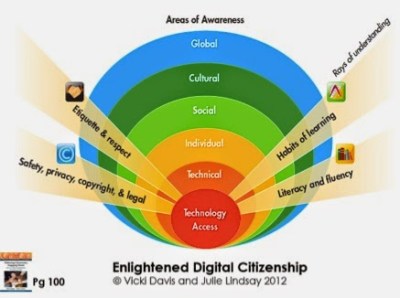
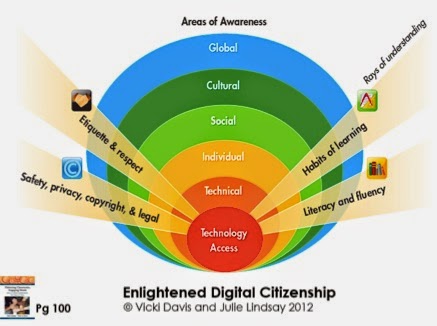
There are five areas in which personally responsible, participatory and justice oriented citizens can act to promote the common good in and with online environments. These are: technology access, technical awareness, individual awareness, social awareness, cultural awareness and global awareness. From Flattening Classrooms. Engaging Minds Chapter 5, Citizenship, In the enlightened digital citizenship model. I will take these terms in turn and use them to better understand what I do when I act as a participatory citizen with TeachMeetNZ. (refer ticks in grid below). I note that there are other elements that can be addressed. So already I can see how to make what I do online even better.

Type of citizenship
technology access
technical awareness
individual awareness
social awareness
cultural awareness
global awareness
personally responsible citizen
participatory citizen
justice oriented citizen


Technology Access: Tools for Collaboration. In order for collaboration to take place the educators that I work with must have access to Asynchronous Communications such as twitter, and google+ communities and via gmail because we are using a google product. Communication takes place asynchronously in that the participants do not generally communicate concurrently. However when we move to the live streamed event, we use synchronous tools such as google hangout and even twitter. Therefore communication takes place in real time. When the session is over we move back to asynchronous communications such as twitter, a blog reflection and commenting on each others blog and a wind back of the hangout via youtube. The  educators that I work with develop their presentations using a communication conduit such as google presentation and the group wiki through which ideas flow between themselves and me on their presentation. I can see their slides develop as they are being built and can give feedback. The communication conduit happens too via the google + community and via twitter where we use the #TeachMeetNZ. I have added a facebook page too but at this stage I still find twitter the best place to pass messages through. 

Five areas of awareness

This next part of my reflection involves walking the educators through the process of the TeachMeetNZ sessions and their learning framed with the five areas of awareness that develop as their online learning unfolds.The first term is technical awareness. Educators are faced with a new tool such as using google hangout to present their learning. They generally have a basic awareness of the features and functions of Google Hangout. Many of the educators I work with are also new to wikis and presenting on #teachmeeetnz is usually the first time that they have created a presentation that is Asynchronous.

Next Individual awareness evolves as the educator decides how they will create their slides for sharing with an audience. The first thing learnt is making a copy of the presentation template. They also learn how to respond to a call and learn how to use the tools.  We have three practise sessions before the min event. 

Then during the first face to face virtual practise session, social awareness takes place. I see the educators tagging and linking to each other via twitter and adding each other on google +. I also see how the slides evolve as they personalise their presentation. Some take the slides and totally rehash them, others create their own sequence and I have even had a couple choose a totally different media too to present with. From these experiences I can see my own progress in social awareness develop as I had not even thought of using some of these ideas for presenting. 

After that cultural awareness happens as the educators learn about each other, from each other and understand what they have in common. They make connections with each other via same interests, same education levels, same cities that they live in, and even same cultural background. They find out family facts and put a face to a twitter handle. Some make connections because what they hear about is new learning for them and so generally go and find out more about the topic before the next hangout practise takes place. 

Finally global awareness happens, as the hangout is live streamed and feedback comes in from countries on the other side of the globe. The educators are excited that someone as far away as Brazil, or Spain or Finland stopped by to hear their story. They realise the impact of what has happened. For me the most exciting thing is seeing what happens next. I observe several who have joined me suddenly blossom in online confidence and I see them leading other initiatives and being rewarded with recognition from the education community both nationally and globally. In addition I love reading their blog reflections of the process and several have told me that their blog readership spike after having taken part in a session with me.

Developing a democratic imagination as a connected online educator.

 An awareness of these five areas is the beginning of developing a democratic imagination online – of digital citizenship. These five areas of awareness are like a lens to look at the behaviours we demonstrate online. In SOLO I would call this outcome multistructural thinking. The teachers that I work with know what it means to be online. They are not taught about digital citizenship but through the experience of being a digital citizen – it is through participating in an online project like TeachMeetNZ where they work with educators from around New Zealand and that by living the story, this is an effective process of learning about citizenship. From reading Flattening Classrooms. Engaging Minds Chapter 5, Citizenship, In the enlightened digital citizenship model, the best behaviour filter we have is “the space between the ears of the person using a computer”.  I love this phrase and have used it even with our teachers.

This filter is created through:  

Safety, Privacy, Copyright, Fair Use and Legal compliance. As the teachers create their presentation, they ensure that the images they use do not give away their children’s personal details.  As they mash and rehash resources, they must ensure that what they used has been referenced and acknowledged. From the chapter on digital citizenship I realise that I must stress the copyright sections with the educators that I work with. By taking part in a TeachMeetNZ session they allow their work to be shared on the TeachMeetNZ wiki and with that comes responsibility to their school and the children that they teach. I remind educators taking part about transparency and ask that their slides are visible to the audience using an embed widget.

Etiquette and Respect. The teachers learn about being respectful of other educators and learn how to give and receive feedback. A thought that keeps surfacing is disruption and I think that sometimes in education we live in an online bubble and communicate with like mindedness. Therefore missing the voice that asks us the difficult question. So we can ask the hard questions and still be respectful of the educators who ask us hard questions. In fact I welcome educators who ask hard questions I call them disruptive and use that term positively. 

Habits of Learning: Responsible Management of Online Activity. This section focusses on appropropriate habits of learning in the digital age. It focusses on the students but from my lens I focus on the teachers. TeachMeetNZ is an academic space and reflects an understanding of appropriate behaviour that is different from how the educators interact socially online. Reliability is shown by having an online presence. The chapter talks about the digital footprint and I talk about the digital tattoo because I often make reference to my personal tattoo. The educators are reliable contributors and collaborators in online spaces.

The beginnings of thinking for justice oriented citizenship 


Thinking about representation and flat leadership. It is interesting to note that educators who take part in a Teachmeetnz session with me are all involved with twitter, all have a blog and all have digital spaces that they contribute too. They are leaders on the VLN, early Pond adopters. In addition they have other education communities that they are part of or lead. Personally I call this being an educator and a citizen  It just is. However, they are not representative of the wider community of educators doing great work in teaching and learning – and as connected educators and citizens we must not forget this. The TeachMeetNZ site is still dominated by me leading and I am trying to change that by encouraging other educators to lead. This is happening, but it is not fast enough for me. Using SOLO Taxonomy I can see that use of the space is currently at a multistructural level. The scary part is I can see where to take it to relational and extended abstract. But that is another blog post and that thinking is evolving using SOLO Taxonomy  and because I am involved in this certification process with Flat Connections.

Thinking about Universal Design for Learning (UDL) Hook (personal conversation) asks how we can design online groups and teach meets so that the conversations, learning materials and ideas can be accessed in multiple way – do we provide “multiple ways of presenting materials for learning”? Do we provide “multiple means of contribution – expression and action for learning”? This thinking should become our default design when thinking about initiatives for developing digital citizenship. 


Thinking about literacy and fluency. Language in New Zealand differs. Alongside our Maori Culture we have a vibrant Pasifika Community with representatives from all islands. Being Samoan I notice online in education that Pasefika and Maori educators are few and far between. So I am always on the lookout for Pasefika and Maori educators to join me. Last July I ran a CLESOL focussed TeachMeetNZ and was excited to have representation from both groups presenting with me. In Aotearoa New Zealand particularly in Auckland we already have a vibrant cultural representation so why is this not reflected online in our education circles. Yes it is growing but again is still in early stages. My goal is to run a TeachMeetNZ totally in Samoan and one totally in Maori. So if you are of those two groups you will already know that I have been shoulder tapping you to join me. I am aiming to support a session in 2015 during both language weeks in New Zealand. 

So where is this all leading too?
The post is to clarify my thinking around Digital Citizenship, but I continue to struggle. I think the term lends itself better to just being citizenship – to ask how do we act with others in ways that enhance the common good online and offline? Yes the technologies certainly make our task of collaboration transparent and easier to coordinate but ultimately it is about people. It is about building relationships for the common good and we do this by making connections online and offline and in the between. Easier – is not necessarily better – any time, any place, must not neglect the anyone.
In Samoa I would be asked: O ai oe? O ai lou aiga? O ai lou matai? Fea lou nu’u? or Who are you? Who is your family? Who is your village leader? Which village do you come from?
In Maori we say He aha te mea nui o te ao?  He tangata! He tangata! He tangata! What is the most important thing in the world?  It is people! It is people! It is people!
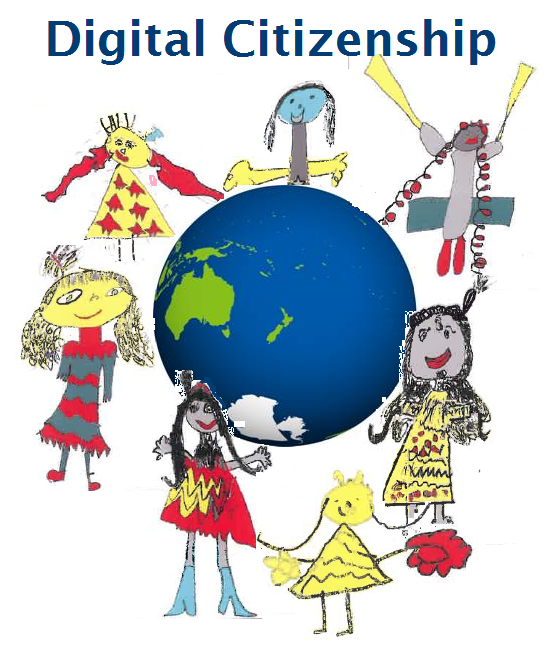
Image created by students from Newmarket School.


References

Hayward, B. (2012). Children, Citizenship & Environment: Nurturing a democratic imagination in a changing world. Routledge.Westheimer, J. and Kahne, J. (2004). Educating the “Good” Citizen: Political choices and pedagogical goals. American Political Science Association

Hook, P. (2014 in Press). Transport as a context for encouraging skilled and active citizenship. NZTA

Lindsay, J., & Davis, V. (2013). Citizenship. In Flattening Classrooms, Engaging Minds Move towards Collaboration One step at a time. Pearson.

Lindsay, J. (2014, March 1). Digital citizenship: A global perspective. Retrieved October 5, 2014, from http://www.slideshare.net/julielindsay/digital-citizenship-a-global-perspective-reduced-size-32020944

October-spring is here

 
October is usually a crazy busy month for me.


It is my mum and dad’s birthday. In addition it is my youngest son’s birthday and also my birthday.


This October I have probably taken on far too much but because I have been in the world of education for 30 years, I know that sometimes it just gets like that and helps with the sprint to the end of the year for our New Zealand summer holidays. Plus it is the learning that ignites my education fire and I find it exciting and stimulating. I am passionate about teachers and their learning too. To help give you a bit of an overview, here is what my October looks like for me, without those important four family dates and all the practises in between.


Dates
Title
Links
30 Sept
Minecraft Hangout
Google Hangout
1st Oct
Launching CENZ
Webinaire
4th Oct
TeachMeetNZ google Hangout
Google Hangout
9 Oct
Present Ulearn with Wendy
Presentation
10 Oct
Present Ulearn with Ginnie
Presentation
TBC
Eduignite Citizenship
Presentation
20 Oct
Complete my chapter on educator
Blog Post
28 Oct
TeachMeetNZ /TMsydney
Google Hangout
31st Oct
EdbookNZ
Publish a book


I am also aiming to complete my Flat Connections Global Educator Certificate with Julie Lindsay. Already I have learnt that I do not give enough opportunities for my teams to get to know each other with a handshake. I have immediately remedied that by setting up a padlet for my #TeachMeetNZ project.

In addition set up systems to support our RTLB with the next roll out of iPads for their teaching and learning with students. Currently I am reading around minecraft as I believe we need to explore this programme further.

Sometimes I am asked why do I take on the extra outside of my school life, however those of you in my PLN who read this, you will fully understand when I say all the extra benefits me, my learning and therefore benefits my school. How else do I know how to help our teachers create videos, help them with reflective blog posts, help them with their inquiries and presentations and know who to ask for help or call in to skype with our children and share their expertise. Ultimately this helps them  This is because I am right in the middle of it all.


PS: I aim to visit Eden Gardens too these holidays and I hope to get my garden planted for the summer.

The tool for the job.

I have an interest in boys writing and have been fascinated by some of the stories our children write around Minecraft.
I was first introduced to Minecraft a few years back in 2010 via Natasha Walden @MissNWalden a teacher at our school. She told me that this game, Minecraft, was taking the gaming world by storm. However I had no idea what she was talking about except to feel quite scared when we were in Minecraft. Then nighttime arrived and I was not ready in and for this Minecraft world. I now realise we had entered Survival Mode.
So I learnt there was a difference between Survival Mode and Creative Mode. Survival Mode has the monsters come out at night and Creative Mode is when you can fly around and see the world that you have made. I think that if I had seen Creative Mode I might have been persuaded to take part. Natasha is one of those teachers that drags me along in her online gaming world. Through her I had seen the inside of WOW and Minecraft before they were even spoken about in lay education circles.
Fast forward to 2013 and I watched my nephew create cheat videos to access pathways on his server. He showed me a Minecraft map that he had created and has had a massive download. Normally a quiet and shy fellow, his eyes lit up passionately as he explained what he was doing and why. But again I was not quite ready with my understanding. I was still a lurker and observer.
Then Shaun Wood @mrwoodnz presented on TeachMeetNZ and I was intrigued again with the Minecraft World.
I started to learn about servers, and about the Minecraft Edu version. I began asking questions about the logistics of bringing Minecraft into our school. I spoke with our technical people about setting up our own server. This year however I have been consumed with Google Apps for Education as we established our domain name, learnt how to use GAFE at school, set up the architecture for teacher use and learnt how to set up and use Hapara. This is still a time consuming journey. So Minecraft sat in the back and simmered.
As is with all fabulous professional learning, I spotted this #educampminecraft event via twitter. This year when Annemarie Hyde put the call out to attend I could not resist finding out more of what other educators in New Zealand were doing with Minecraft.
So on Friday night, straight after school I drove down to Rotorua and joined several other educators for #educampminecraft at Mokoia Intermediate School.
You can find out more about the event here on the educamp wiki.
Annemarie created a collaborative presentation using Google slides and different people added their ideas before the day http://bit.ly/1r7vnXQ
During the day, Monika Kern kept the conversation broadcasting to the rest of New Zealand via twitter and challenged us to complete a blog post about our experience of the day. By doing this I can grab a digital badge for my portfolio. I am always open to a challenge and this keeps me motivated to reflect on what I learn.
I contributed by creating a twitter list of all the teachers talking about Minecraft in New Zealand and that can be accessed here.
Here is a folder that I created and added photos that I took during the day.
Straight after the event Reid Walker created a Google+ Community for teachers using Minecraft group and that can be accessed here.
During the day it was particularly powerful to have some students there sharing their expertise with Minecraft. How often do we see students at education events? So I thought this was forward thinking of the organisers.
However I do think that the students would have probably run the session in a totally different way. I loved the way they showcased their work.
I loved how Kassey Downward  had her students share their learning and then guided us in ours. I learnt about griefing, when you destroy creations. One student said to me that is what I was doing when I left clicked the mouse and had great fun pulling down buildings that others had created. She said, “In Minecraft we practise citizenship and do not destroy other people’s creations.”
She taught me how to right click and put the blocks back. However I probably had already created quite a bit of havoc. We got to hear too from Natalie Dodd and her students about how they used Minecraft. 
My learning from all this is to go down the Minecraft Edu pathway because of time. According to Shaun who came in via skype and shared how he had set up a server, a lot of time and technical know how is required to set up a server for the children. You can read more about this on the slides.
I had my questions answered and more. I saw how Steven Katene mapped using Minecraft against SOLOtaxonomy. I say how his students crafted their Minecraft planning using Inspiration. I saw how they shared their creations with family via hidden youtube URL. His school has a 1:1 ipad programme. I can’t wait to have further dialogue with this amazing educator.
I had gone to Rotorua specifically to find out how to set up a server and the logistics in running Minecraft at our school. There would be legalities involved in hosting a server separate from Minecraft Edu where children take part and learn. In addition, the space would require adult supervision because our children are under the age of 14. I still observe what happens in Skoodle and know from experience that the most active online time for our children is straight after school. Some can work quite late at night. Yes we can lock it down to certain hours but also know from experience is that the children will move to other social media sites to communicate with their friends when we lock down their sites. I had been mulling over the idea of buying our own space because I initially thought the Edu licence seemed quite expensive and I am always looking for a cheaper way of doing things. However because we are dealing with student safety Minecraft Edu would be the preferred option. 
Another idea that I found out is that Minecraft requires a hard drive therefore striking our chrome books out. I don’t know why I had not thought about that. I thought Minecraft was an online game and did not realise that we would need plugins to download.
https://minecraft.net/store A singe computer licence costs $33.16 and this can be downloaded. 
The Minecraft Edu Version costs $22.15NZ per single licence and a single server licence is $50.45 NZ. However with the Microsoft school’s agreement deal I wonder if this would change because of the recent takeover.  At Newmarket School, we would require 1x server licence and $22.15 x each senior syndicate student and a netbook per student. So that cuts out what I had planned for the senior team because our senior classes have chrome books and Minecraft cannot go on a chrome book.
I also see that there is also an iPad  licence that costs $8.99. However this does not work with the Edu version. I have not yet investigated if this can be bought on the VPP store. But think that this could be an answer for us. I need to speak more to Steve about this and I have heaps more questions for him. Michael Fawcett confirmed that the pocket versions could talk together. So the Androids can talk to the iPads.
Our middle school use ipad and netbooks so at this stage they are the best place to put in a copy of  Minecraft. My recommendation to school would be to purchase 30 iPad licences and aim Minecraft for the middle school. But I would only do that if a teacher is willing to take the time to trial it with her class as part of teaching and learning. Like with everything on the iPad, Minecraft would go have to go through Configurator. Because we do not have 1:1 devices we would have the challenges of saving games and a shared central location of creations to deal with.
So where to for us.


When I think ahead for us as a school I recall the weekend conversation I had with Annemarie regarding the tool for the job. As a school we are conscious about sinking too much money into one platform as things change so quickly.  The ideal tool for Minecraft appears to be a netbook, with a mouse. To make full use of the collaborative and community aspect we would require a server licence and individual licences for the students involved. We would need someone to set it up and have a teacher dedicated to be an online moderator.  The alternative is to have it set up on the ipads but like with everything on an iPad, there are challenges for sharing because of the ages of our children and because they do not have 1:1 ipads.
If someone can talk me through a workaround, I would love to discuss this more. I am @vanschaijik on twitter.


Teachers at Newmarket School, if you have any further ideas, do let me know. My thinking around Minecraft for learning is how absolutely fabulous. We all know that learning is a social activity and what better way can we hook in our children with learning then with connecting, collaborating, creating and sharing in a community environment using a space that they love and several already know so well.


Reid, you were looking for a further challenge after completing your Code challenges. How about if we go in together as educators into the Minecraft world and create something for our own learning. Maybe we could create our ideal school. I would put my hand up for that.


Annemarie, Monika, Kassey, Steve thanks heaps for organising an amazing day of learning for us. Unfortunately I have come away with more questions that fortunately I can ask on the new Minecraft community.
To find out more about Mincraft in New Zealand Schools, Visit the site created.To find out more about #educampminecraft, Visit the slides created.

To find out more about education licences, Visit the Minecraft Edu Wiki space.
The big news of the weekend was that  Minecraft has just been sold to Microsoft. Delving a little into the Minecraft history brings up two names.

Markus Persson @NotchAlexej Creator of Minecraft. @jeb_ Lead developer for Minecraft


Goundhog Day at Newmarket School

In 1877, Newmarket School in Auckland New Zealand was established on the site where 277 is today.
On the weekend I was excited to have our current principal Dr Wendy Kofoed take part in an online discussion about learning with educators from around New Zealand.
This discussion will continue throughout October as part of #CENZ14.
After the discussion I put a call out to Pam Hook to read what we have so far accomplished as I wanted to ensure that the project is framed by SOLO Taxonomy. 
Pam flicked me a link to a sceptics log she and a team of creators had made in 2006 and the discussion was the same. In addition she linked me up to Chris Bigum who had been part of that original discussion and he started feeding me readings and video links via twitter.
The outcome of all that weekend learning is this reflection.
One particular idea that I had read about and awoke with was groundhog day. 
We are such an old school. I thought of our first school leader, Captain Charles Ross Cholmondely Smith.
in his single classroom with his room full of children.
The stories I have read about how the children learnt is hilarious. 
But if we revisit those early days of education, we know that the teacher was basically a coach.
They used the older children to teach the younger children who in turn taught the younger ones than themselves. In addition he would have had a team of children leaders who took care of various activities to help with the running of the school, kind of like our student leadership programme.
If a child needed extra help they would know who to ask for support.
They would only go to the teacher when absolutely necessary because he ruled his classroom in true military style of the time. 
Newmarket School on current 277 site of today
As the years passed and the school grew and new teachers came in, the process continued with teachers using each other as support. There was no professional development in those days only personal learning.
They relied totally on the community for everything because there was no local $2.00 shops to stock up or colour photocopying for the walls. They used local resources in their programme kind of like the glocalisation concept. (No, not a spelling mistake.)
The children would have continued to support each other and most had a job to do to help keep the school clean and tidy because there would have been no school cleaners in those days. This is like how we structure our enviro programme.
I was thinking about our current situation with the discussion centred around learning and thought we are moving back to those times not because of circumstances but because it just worked.
Teachers are reminded about the pool of learning amongst their peers. Our current head teacher continues to lead by example in her own learning. She in turn guides and coaches her team in their learning, who guide and coach the teachers in their teams with their learning who guide and coach the children in their classes and between classes as we move back to ”it takes a whole school to teach a child,’ and we move back to the notion of a single building on the site where there are no walls and we learn with and from each other. 
We have a variety of interesting developments happening in our school and this is raising teachers to the surface with their learning. Even more exciting is that they are sharing their learning with each other and several have begun the journey of reflecting in a visible way for our global school community via  a blog that you can read on the right hand side. If I have missed anyone, please do send me your link.
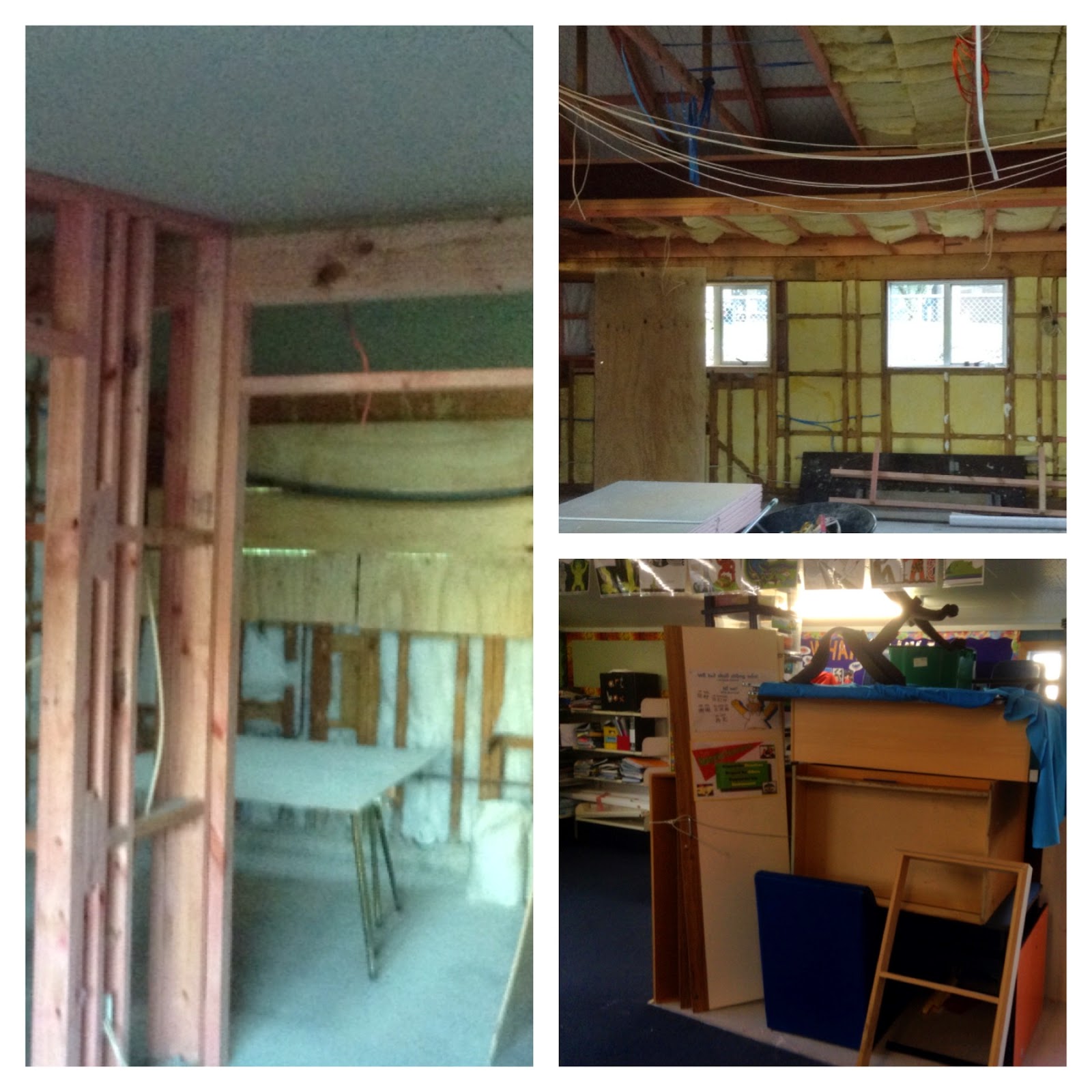
So in our old grounds, in our old buildings that are being demolished and rebuilt I can hear our head teacher, teachers and children ancestors giggling and watching from the ruins saying, here we go again. And you know what, so what. This teacher with 30 years experience finds it exciting to watch the cycle of education life go around again. Just like I love watching our 100 year old tree go through its cycle of life on a yearly basis, change and grow bigger and better, Just like I love talking with teachers and hearing their learning stories and sharing their learning stories. Even more exciting is the change happening. 
Children ancestors of Newmarket School

Eduignite

This post is a reflection of all the times I have taken part in Eduigite sessions.

I guess it is thanks to Veni Jamieson whose feedback to me after one of my led staff meetings was ‘Find out how not to blush so much when you present.’

I do, I get really red because I am not a public speaker and the nerves are just there.

So the first thing I did was research and some steps I read include, drink cold water before going into a session, locate the room and survey before you begin, make connections with your audience, and just get in front and do it. The more you present the better you will be.

The steps are simple enough except for ‘practice speaking out loud as often as you can to a room full of people’. Hence Eduignite. Where else could I find a better group of people to practice on than my own peers?

My first eduignite, I attended was Term 3 2012.
The second time I was unwell, but went along anyway and presented. I was really nervous as you can see and hear.

To present in 5 minutes, a lot of time is involved in preparation just for 5 minutes.
The format is 20 slides in 5 minutes. Each slide auto runs at 15 sec intervals.
You have to know your topic really well.

I rely on cue cards as I speak, because I just do. I have also used an ipad as cue cards and learnt to create PDFs that could be downloaded in advance using iBooks. That was before schools had easier access to wifi. Now I usually use them because it is just one less technology I am organising.

As each session progressed, I am not as nervous at the thought. I have now given 5x mini presentations and yes my confidence has certainly grown in this area. I do not feel as nervous as the earlier days and I am getting better. Every so often I get feedback that makes me pause and think. Like last presentation night when Emma Winder said Sonya you always share some great ideas. Because for me the real purpose is practicing with  a room full of peers to overcome nerves. The bonus is I also get to listen to other stunning presentations and hear teachers sharing their stories.

I also like to see the videos of my own performance and the earlier ones I cringe at but learning can’t happen without a few lessons.

Last night, I did not blush. Where to next for me. The next eduignite is held at the National library in week 1-2 of Term 4. Andrew Cowie is orgainisng that one as part of Connected Educators Month #CENZ14 and I will present again because this year I set myself a goal of sharing a three part journey.
Part one: My personal tattoo, Part two: My digital tattoo, Part three: Citizenship. You can check out the slides on my slideshare account.

I have had Reubina Irshad come along to one session and Wendy Kofoed my principal attend another. Eduignite stipulates that the first time you attend, the second you either present or bring a mate. Having peers attending from school only added to the stress of presenting because again, presenting to people you know has both positives and negatives.

This time too I have set further goals, invite the rest of Newmarket Staff to join me in the third presentation of  the three part series, get some more feedback from Veni to see if he thinks I have improved and EKK not use cue cards. There I have written it down.

This would be extra fabulous for me because I have been working with our Newmarket Staff on making connections with each other using social media. Eduignite would be a great way of connecting with other educators F2F outside of Newmarket School, use twitter during the session and maybe this might higlight too the importance of making their own learning visible.

The great thing about Eduignite is that the entertainment learning is free and there is always wine and food. The evenings are fun and you get to meet some great people.

So I do hope you all join me in Term 4 at the National Library.

Finally, just a shout out for Torbay school who hosted the last session. They are selling cook books as a fund raiser. I loved the way Johanna Chambers kept reminding us and she did all she could to support her school in their fundraiser. Oh and I caught the tail end of their children’s Trash to Fash sharing. It was absolutely brilliant.

Torbay School Cookbook. Developed by students. Awesome Christmas gifts @vanschaijik pic.twitter.com/oYxLoTmWLC
— Johanna Chambers (@ChambersJohannaSeptember 11, 2014

Connected Educator


The Connected Educator at Newmarket School.
Very soon Dr Wendy Kofoed and myself are presenting at Ulearn14. Our presentation centres around our teachers. The title of our presentation is ‘Before collaboration teachers need to make connections.’ Do join us at Ulearn. We are Breakout Four A on 09 Oct 2014 at 13.45-14.15. This post has developed as part of my teacher inquiry around ‘Connected Educators at Newmarket School.’
In our school’s revised strategic plan, one of our guiding principles is Whangaungatanga or connectedness. As Wendy and staff have been working at crafting our strategic plan I have been revisiting my own understanding of whangaungatanga. For me as an efellow that is about my understanding of hyperconnectivity which is all about the relationships we build and how we build them. The Samoan word for connectedness is Va Fealofani and in Maori it is Whanaungatanga.
So some of my own questions include:
·                What does a Connected Educator at Newmarket School look like?
·                What tools do they use and why?
·                How do they share what they are learning?
As I have been thinking and reflecting on connectedness Wendy has been looking at the big picture. Her own inquiry centres around ‘Challenging Learning Design.’ I look forward to her sharing her own inquiry.
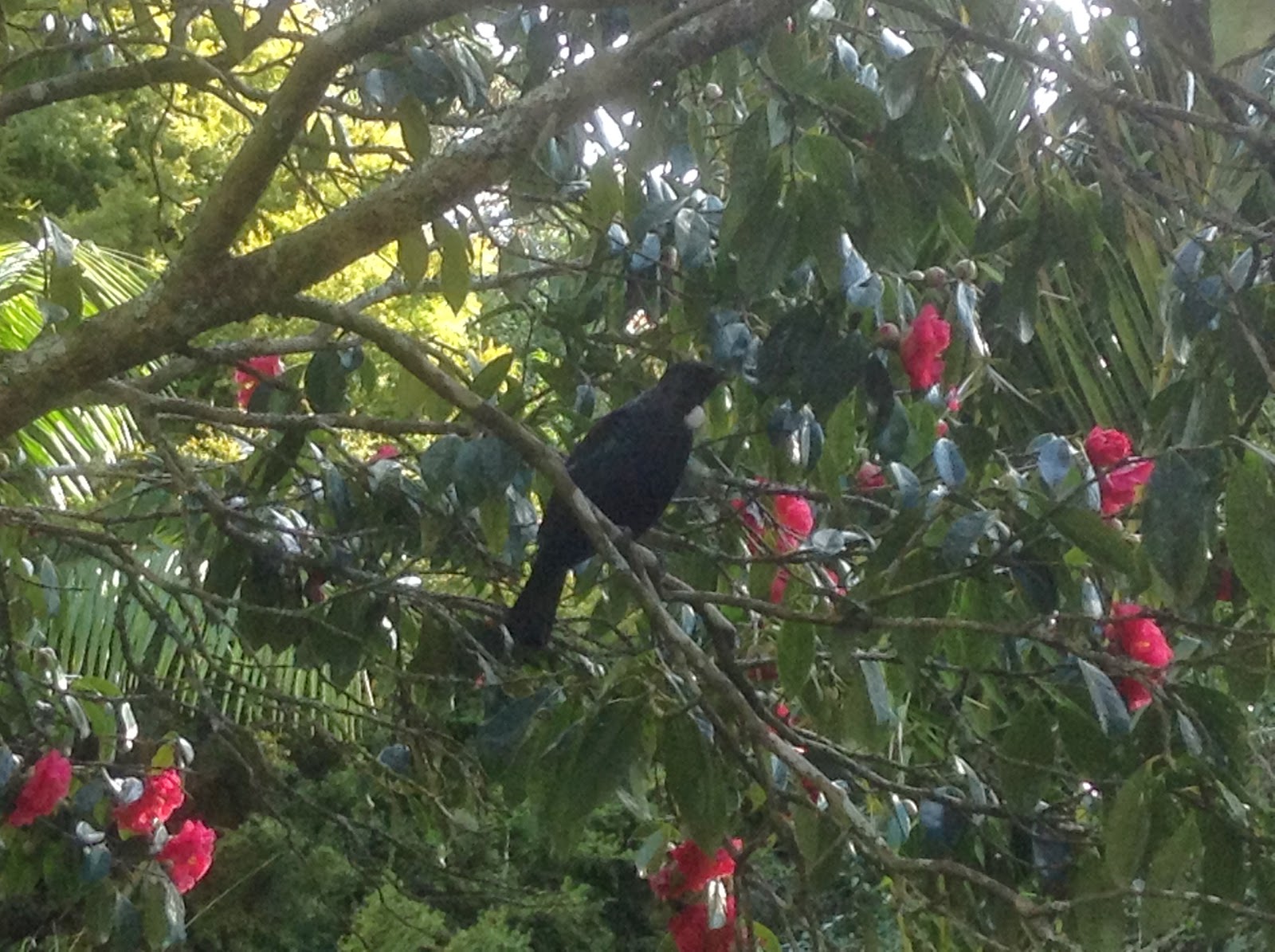
At Newmarket one concept we have is whakatauki which is sharing our stories. On our boundaries and dotted within our school we have Harakeke growing. In the springtime when the Harakeke flowers we have Tui come and drink the nectar. So I begin my post with the following proverb and have changed the word kōmako for Tui because we do not have bellbirds.
Hutia te rito o te harakeke
Kei whea te Tui e kō?
Kī mai ki ahau;
He aha te mea nui o te Ao?
Māku e kī atu
he tāngata, he tāngata, he tāngata
If the heart of the harakeke was removed,
Where would the Tui sing?
If I was asked,
What is the most important thing in the world”?
I would say
It is people, it is people, it is people
If I frame this post around the current three school values I am already confident about our presentation focus. Our three values are whanaungatanga, manaakitanga, kaitiakitanga.
I use these concepts and their definition to frame my current thinking around Connected Educators.
What is a Connected Educator at Newmarket School?
Whanaungatanga – Connectedness
Being connected requires learners to develop a secure sense of their own identity and agency to think and work towards where their potential might lie.
Newmarket School is already a strong learning community that collaboratively constructs knowledge to form a foundation for learning. In order to achieve this we aim for all our teachers to be connected educators. A Connected educator at Newmarket School understands the concept of whanaungatanga. They are someone who focuses on building relationships with each other, our community and our children.
A connected educator at Newmarket School knows how to use the managed online tools to find people and how to connect with them. They think carefully about the dynamics of interactions. They actively use Facebook, Twitter, Skype, Google+, LinkedIn, and other media tools to make connections and to build their own personal learning network. Because we are in New Zealand a connected educator at Newmarket School’s learning kete includes some New Zealand managed tools such as Pond, Virtual Learning Network, Myportfolio and the School Google+ community to find other New Zealand educators and to actively connect with them and build learning relationships.

What tools do they use and why?
Manaakitanga  – Generosity of spirit
Developing the ability to walk in others’ shoes which includes seeing issues from others’ perspectives and thinking carefully about the dynamics of interactions.
A connected educator at Newmarket school knows how to use and take the tools from their kete to move their practice forward. They know how to get the learning needed to improve the craft of teaching. A connected educator at Newmarket School knows how to use Google Apps for Education to crowdsource and share ideas. They are participants in online learning communities that can be found on the Virtual Learning Network and via Google Apps for Education. They take part in twitter chats such as #edchatnz to connect nationally with other New Zealand educators. They know which chats connect them with educators globally. They use a wiki, blog and or google sites as a sandbox to test their learning with online tools and show what has been learnt. They attend online New Zealand webinar such as the Virtual Learning Network monthly sessions. They curate their own learning using Pond and make connections with other New Zealand educators to share what has been found and learnt online. They know how to bring back what they have found and learnt online and share it with their school community via a reflective educator blog. Personal learning is transparent, visible and accessible by all.

How do they share what they are learning?

Kaitiakitanga – Guardianship
Ensuring sensitivity and thoughtfulness of actions in environments both local and distant.
A connected educator at Newmarket school knows how to build their community of practise that has active participants like guest speakers and where everyone co constructs knowledge. A great example of this is #TeachMeetNZ that takes place each term.  They know how to reflects on what they have learnt and make this available for all via a blog, Google Doc, wiki and or a site.  

I began this post with a whakatauki and I end with a whakatauki.
·                Ka rongo, ka wareware
·                Ka kite, ka mahara
·                Engari, mā te mahi ka mōhio.
·                I hear and I forget, I see and I remember, but through doing, I know.
Overall a connected educator at Newmarket School knows how to grow as a professional and to empower each other and their students to build their own personal learning networks to learn using the technologies that are available. Much is learnt from each other, with each other, and with the children that they teach.

As an update, a few hours after writing this, I revisited some of the education terms that have been popular in recent times. I realised that I have been doing the same thing and that is highlighting a key education term. What the originators have done is take a key word and added a descriptor to it to make it sound different. However the key word it self is fine if we view it through an extended abstract lens. Those of you who are SOLO Taxonomy educators will know what I am talking about. I created a visual to better describe what I mean.
So returning to Connected Educator and the whole point of this blog post, I finish with ‘ A Connected Educator at Newmarket School is a Newmarket School Educator.’ 

(When I write I create a rubric from Pam Hook’s site using the SOLO Taxonomy Rubric Creator. 
I use SOLO Taxonomy to frame my thinking and clarify the direction of my inquiry by asking clearer questions. Here is my Connected Educator rubric.)


Travelwise

Today was our  Travelwise Lead Teacher day held at the Trust Stadium in Henderson.
One of the most important aspects of these days is the opportunity to network with other Lead teachers from around Auckland and curate ideas that we can use back at Newmarket School.

A real highlight for me was seeing Christine Allen and Veronica Verschuur from Marist School. I worked with them many years ago.

Russell French designed the introductory session so that the information was front loaded using a QR code activity. We moved around the room scanning QR codes in order to locate correct information of facts asked. We could have also googled this information but the opportunity to try a digital activity was fun. Russell then shared with us the rest of the information via his presentation.
He then continued and introduced us to the work of Robert Cialdini and how to link this to our days learning.
Cialdini’s 6x principles of persuasion and apply it to Travelwise

  1. Reciprocity
  2. Commitment (and Consistency)
  3. Social Proof
  4. Liking
  5. Authority
  6. Scarcity

We moved around the stations of activities set up by the CTCs and we covered a lot of information in a variety of ways. 


    WOW www.atwowcalendar.co.nz . I was interested in seeing the WOW calendar set up as a way of children taking responsibility for data entry using the new online system.
    The day was fabulous as it reminded me of what I still need to do at our school.
    So here are my goals until the end of the year.
    • Complete our time zone map and photograph hazards.
    • Revisit our Walking School bus idea. Particularly as we are going through a rebuild and we don’t just have a hazard at the gate we have a Tsunami.
    • Set up a Travelwise display board. At this stage I have no idea where to place it as we are going through a rebuild. Maybe I will create a digital display and resurrect our Travelwise pages on our school Enviro wiki and revamp that.
    • I really liked the idea about surveying our parents and identify where they drop our children off so will create a google form for that.

    After lunch, I presented our school’s trial with the Tracksafe resource framed using SOLO Taxonomy. My pechakucha ended up being presented eight times so by the end of the afternoon I was hoarse. However I was excited as I could see where Virginia Kung and I need to improve on for our Ulearn presentation when we share how we have used the resource at Newmarket School.


    @vanschaijik Reflection

    Thanks to @chasingalyx @boonman who tagged me.

    I want to keep the connections going and make more connections. So maybe a blogging meme will work.” Reid Walker @ReidHns1
    If you get included in the blogging meme: copy/paste the questions and instructions into your own blog then fill out your own answers. Share on twitter tagging 5 friends.


    1. How did you attend the #Edchatnz Conference? (Face 2 Face, followed online or didn’t)
    I was there in person and online and had the privilege of being part of the organising committee.
    We planned the #edchatnz conference in 18 weeks totally digitally.
    edchatnzjpg.jpg


    2. How many others attended from your school or organisation?
    I had two others attending from @newmarket school and they were Anna Speir @MissSpeir  and Renee Hogg @MissRHogg.


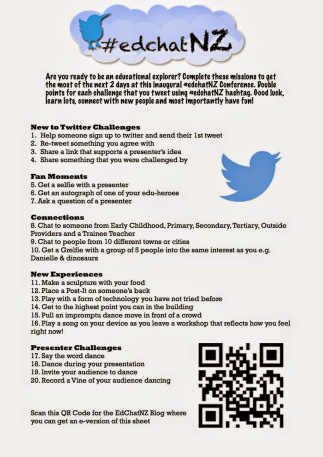
    3.How many #Edchatnz challenges did you complete?

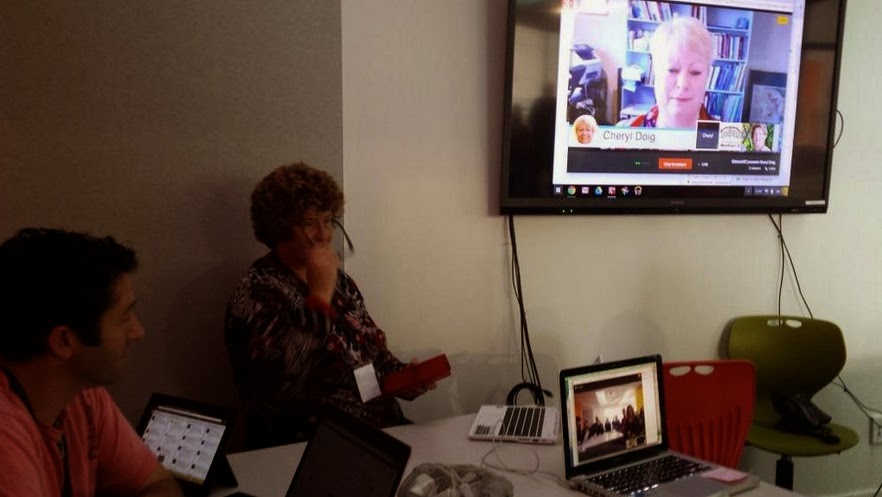
    I achieved 10 of them and that is another blog post. I made it a point of talking to lots from preservice because I was so happy that they could join us. In addition I was the vehicle for Dr Cheryl Doig’s virtual session.
    She and I practised the session virtually until she was comfortable with using the tools. On the day she ran her session through me virtually using virtual tools.
    4. Who are 3 people that you connected with and what did you learn from them?
    @arti_choke  @BridgetCasse @mattynicoll It was just fabulous to catch up with SOLO taxonomy educators who’s work I have read and who inspire me to shift deeper in my thinking and practice.
    solo.jpg

    I also connected with @beechEdesignz who shared about design thinking and with @fFreemansbayScho who shared her principal’s journey into school design.


    5. What session are you gutted that you missed?
    I would have liked to see some of the coding and 3d printing session and the gaming. But generally, I am happy with what I attended. I did miss out of getting my image lazer printer.
    6. Who is one person that you would like to have taken to Edchatnz and what key thing would they have learned?
    I would liked to have brought @ginnynz01 but due to circumstances that was not possible. However because she is now on twitter I know she was following virtually.
    7. Is there a person you didn’t get to meet/chat with (F2F/online) that you wished you had? Why
    I love science and missed meeting and hearing Nanogirl  @medickinson.
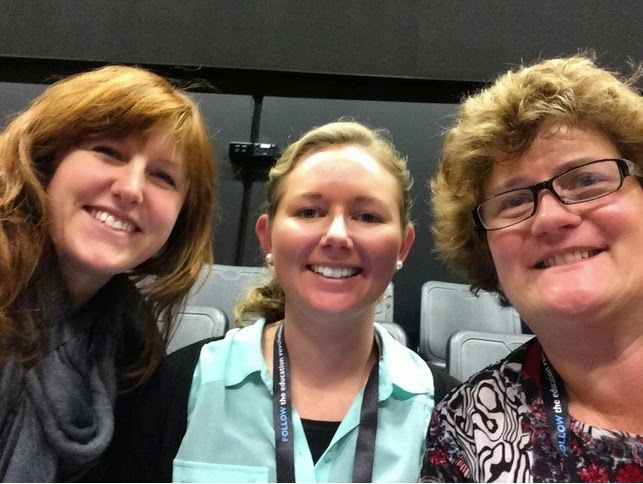
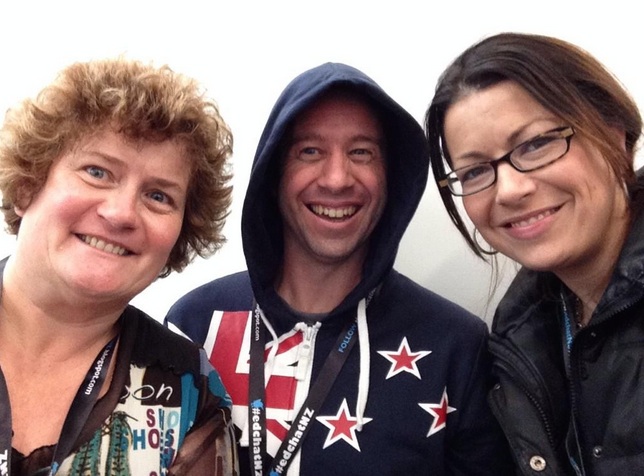
    I love photos as memories. So I will say I missed out on a photo opportunity with my TeachMeetNZ team. The TeachMeetNZ teachers have put in a lot of effort and time to share their teacher stories and it would have been great to have that as a memory.  I also would have liked a #grelfie with Pam Hook aka @arti_choke. She is my eduhero.
    8. What is the next book you are going to read and why?
    I want to read SOLO Taxonomy in Physical Education written by Nicola Richards and Pam Hook. I want to see how SOLO is used in PE.
    9. What is one thing you plan to do to continue the Education Revolution you learnt about at #EdchatNZ?

    I will continue on my journey of learning more about how I can support  ‘The greatest source of variance that can make a difference to student learning–the teacher and how they share their learning.’ My principal Dr Wendy Kofoed @newmarketschool and I will be sharing this at Ulearn so do join us in our session. Breakout Four A on Thursday 09 Oct 2014 at 13:45 to 14:15.

    10. Will you take a risk and hand your students a blank canvas?
    I am willing to take a risk and handing our teachers a blank canvas and coaching them as they take the risk with our students.


    Who do will I tag with this meme:
    Having been involved with a meme before and knowing how it works, I am tagging
    Anna Speir @MissSpeir   
    Renee Hogg @MissRHogg
    Terry Beech @beechEdesignz
    Bridget Casse @BridgetCasse


    I am adding one more task to this meme. Using my SOLO taxonomy lens I know that this meme is at relational level because we are making connections with each other. However to push my meme to extended abstract I need to make my meme visible in a sharing way. So I have added mine to the #edchatnz Listly and I challenge anyone reading and who are tagged in the meme to do the same.

    Clesol Day 2

    Saturday
    Keynote Speaker: Deborah Short, TESOL International
    Using Sheltered Instruction to Develop Essential Academic Language Skills

    http://www.victoria.ac.nz/lals/resources/academicwordlist/
    Averil Coxhead 

    Give the children something interesting to talk about.
    Give verabal scaffolds for elaboration
    SOLO Taxonomy at relational by highlighting key vobabulary.

    Using word wall to make signal words explicit.

    I was fortunate to sit in on Rosa Kalauni session where she spoke about
    Secondary  Success
    At her school they choose Pasifika Teachers and put the median band children together.
    These same children attended the same classes with a Pasifika chosen teacher or a literacy class with a Pasifika chosen teacher. Rosa spoke with passion for the Tama Toa Project. Her session was well thought through and put together and I came away motivated to implement even more focussed projects at out school for our learners.

    Today was the day I shared my #TeachNZ project
    http://teachmeetnz.wikispaces.com/TeachMeetNZ_2014_3
    If you go to this link you will find my slides and also all the 3 minute presenters slides.

    Over the next few days, I will take the video and cut it down in three minute slots that the presenters can add to their digital footprints. I am excited to see the reflections begin to come in because I know that here is where the real learning takes place.

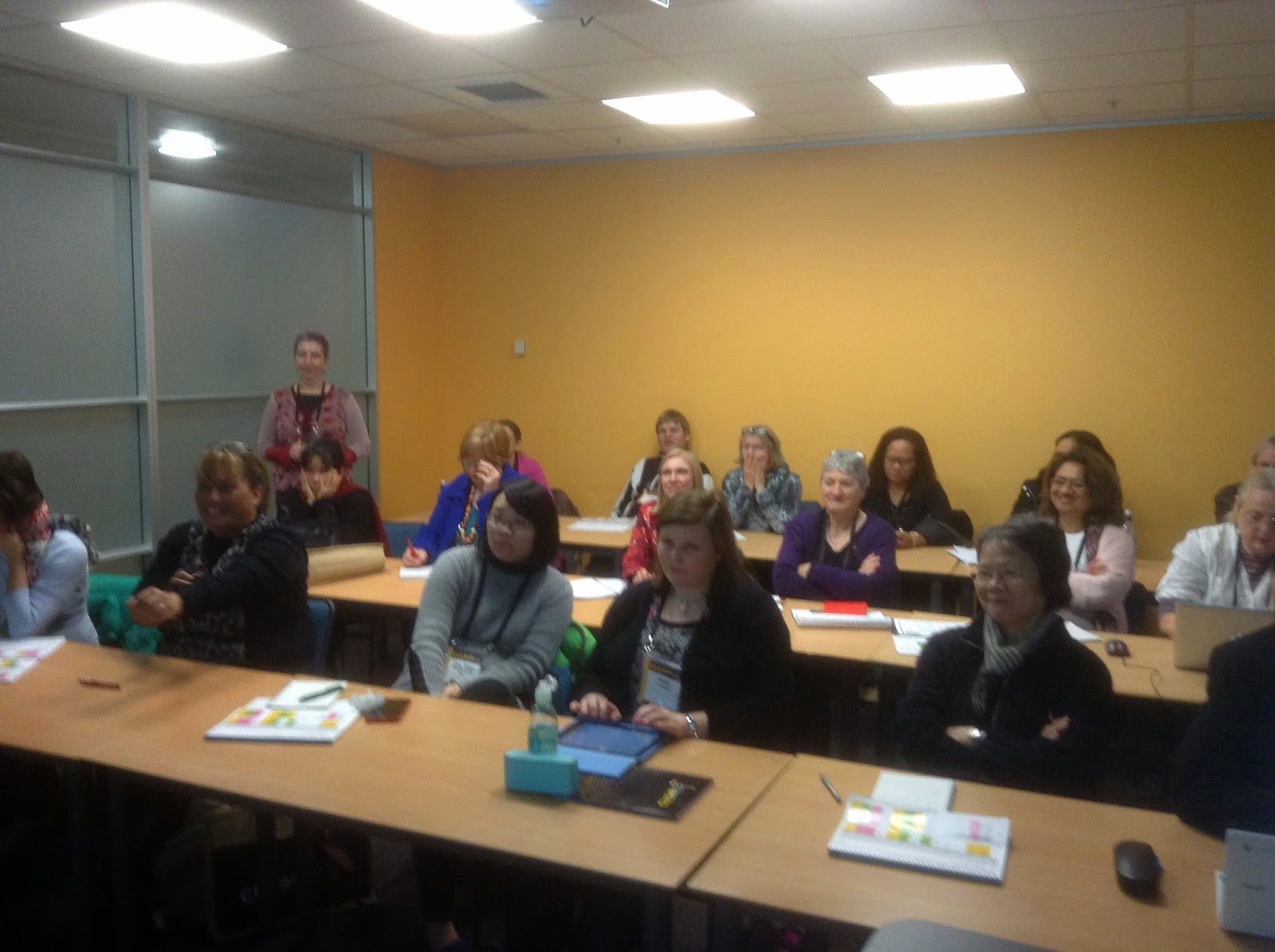
    The exciting part of running a TeachMeetNZ session is watching the confidence and interactions develop between the educators who take part. The challenge with running a virtual session face to face with a live audience is ensuring a a balance between presenters sharing their stories and having time for the face to face audience.

    After a break we moved into ‘In conversation with – Janet Holmes’, Victoria University of Wellington
    Janet gave a great presentation and I really liked the way she incorporated photos and video to break up the just listening to Death By Powerpoints that seems to be the focus of a lot of presentations I have seen at the CLESOL conference.

    I left the day early to have  rest. Then walked to the evening dinner.

    Clesol2014

    Clesol Day 1

    http://www.clesol.org.nz/index.html is in Wellington and runs for three days.

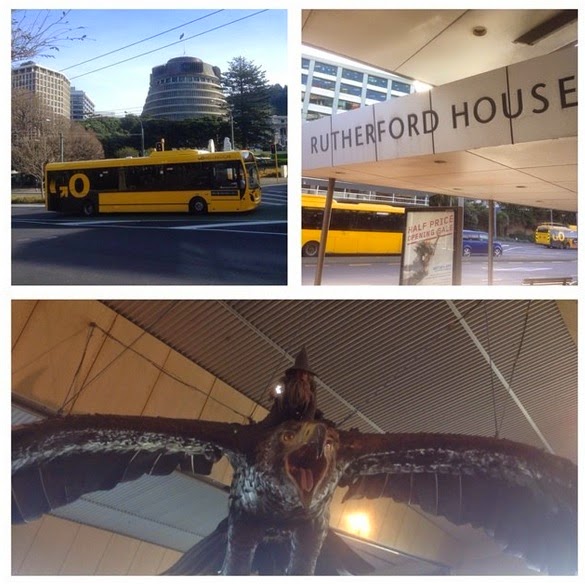
    This year Clesol is hosted at Victoria University. This is my first visit to Rutherford house.
    Using #Clesol on twitter I could only locate 6x other educators attending the conference.

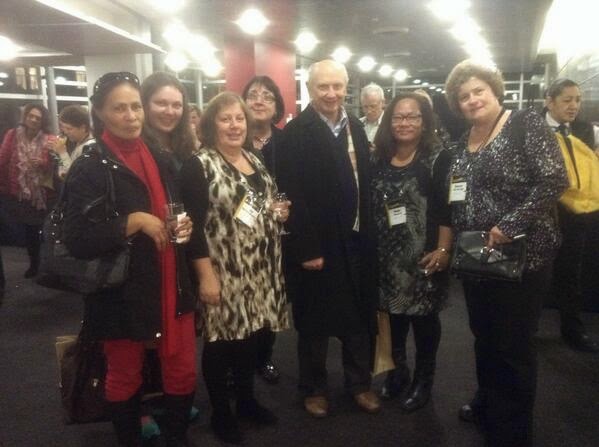
    The conference launched with a welcome function sponsored by IELTS. I was excited to see a few familiar faces so as Paul Nation walked by I grabbed him for a group photo.

    The first plenary began the following day and as I sat in that first session and looked around, I  saw maybe 6 educators using a device. The challenge is most teachers have been given a TELA since 1996 so why were most educators here still using pen and paper.

    William Grabe

    Powerpoint available via email.
    william.grabe@nau.ed
    Foundation for L2 Reading development.
    William highlighted essential aspects of reading comprehension. He spoke about instructional applications as well as a few specific practices that are not commonly considered in many reading instruction curricula. I was listening to him share about building a reading curriculum.

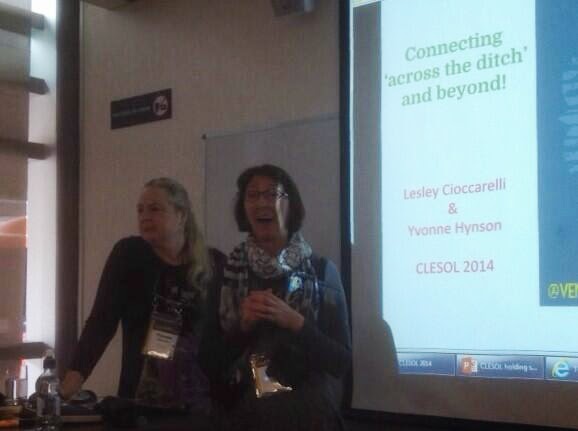
    I attended   collaborative workshop ‘Connecting across the ditch and beyond.’ The session was well rehearsed, ran to time and was inclusive of all attendees. Both Lesley and Yvonne covered a range of social media and how they used them in their work. I was particularly interested in the collaboration and to hear that yesterday was the first time these educators had met f2f.
    Lesley highlighted for the group a few of her global connections from her personal learning network. 
    The following session was from John Read who covered 

    ‘Coming to grips with quality in language assessment’. John spoke about an ongoing concern in language teaching is how to assess learner abilities through good-quality assessments that are suitable for their intended purpose. He stressed the importance of moderation and expertise amongst teachers in their own subject area. Again the slides are incredibly text heavy and for a learner like me, I like my pictures.  I give a quiet chuckle when he spoke about computer familiarity. I was not sure if this included mobile devices but probably not.  

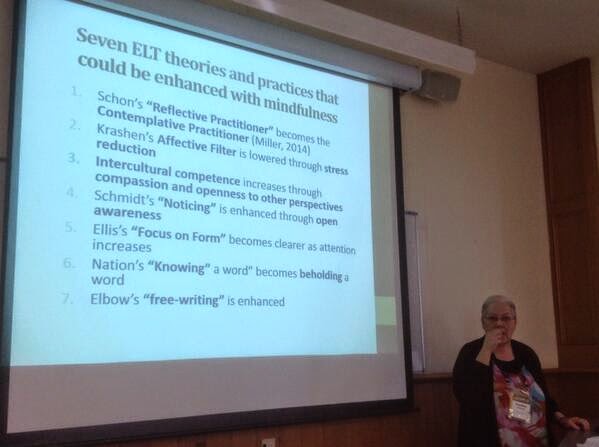
    In the afternoon session I attended Heather Thomas session on Mindfulness practice and pedagogy that could enhance English Language Teaching (ELT) by increasing attention, emotional 

    The session was not what I expected but is actually what I needed to hear. We often rush from one thing to the next but never take time to stop and smell the roses. 
    She shared with us the following documentary. ‘Room to breath’.


    Heather’s session was on Mindfulness meaning about being in the moment, being present, being in the now.

    Probably the best part of the day was the discussion that happens between the sessions.